视图中的各种宽高偏移概念
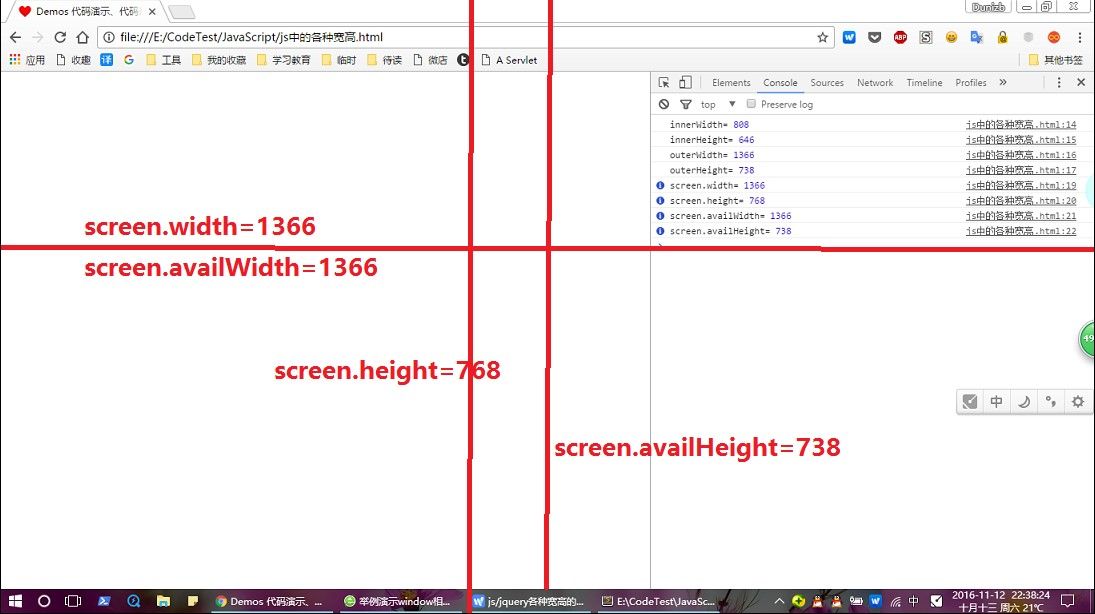
- screen
- width
- height
- availHeight 返回浏览器窗口在屏幕上可占用的垂直空间,即最大高度
- window
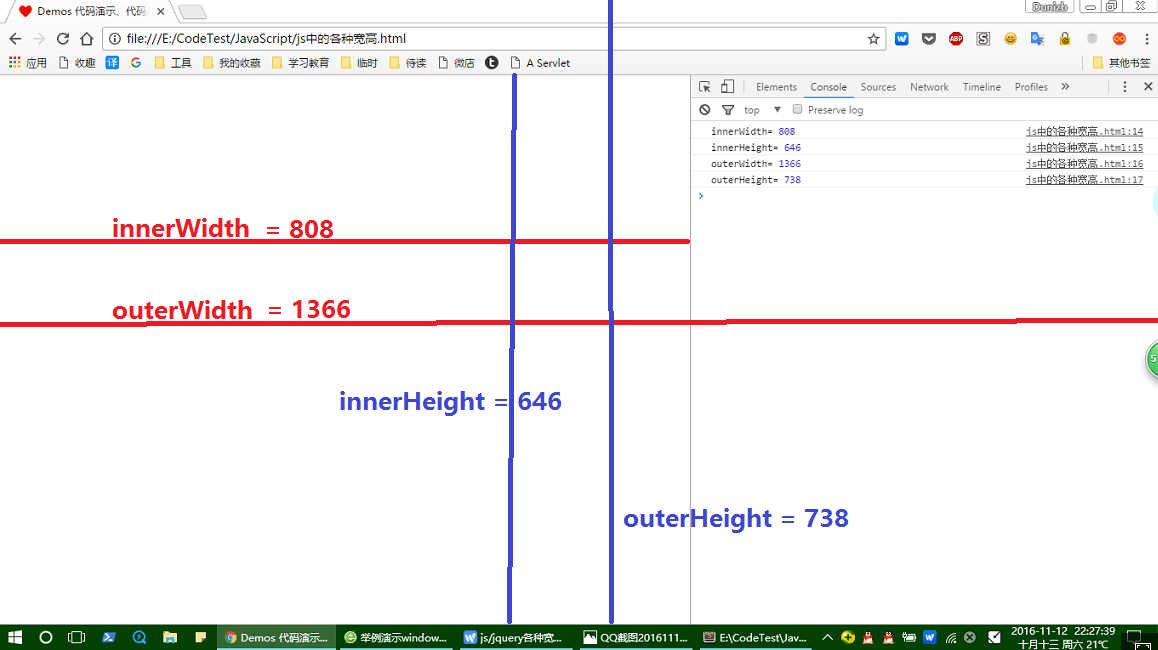
- innerWidth
- innerHeight
- outerWidth
- outerHeight
- screenLeft 浏览器窗口到屏幕左边缘的 CSS 像素距离数值
- screenTop 浏览器窗口到屏幕顶边缘的 CSS 像素距离数值
- scrollX 页面水平方向滚动的像素值
- scrollY 页面垂直方向已滚动的像素值
- 元素
- rect:元素在视口中的区域位置
getBoundingClientRect() -> {x,y,top,left,bottom,right}
- client:元素的可视内容
- 大小,即
padding+conten不包含滚动条- clientWidth
- clientHeight
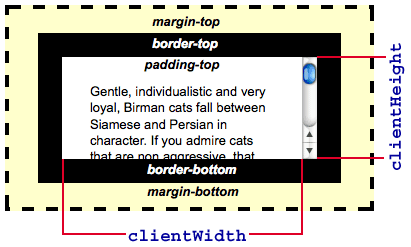
- 边框
- clientLeft
- clientTop
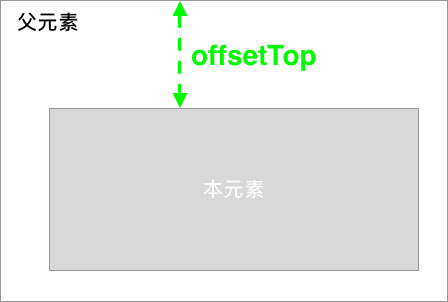
- offset:元素相对于 HTMLElement.offsetParent 中的表现
- 大小( content + padding + scroll + border )
- offsetWidth
- offsetHeight
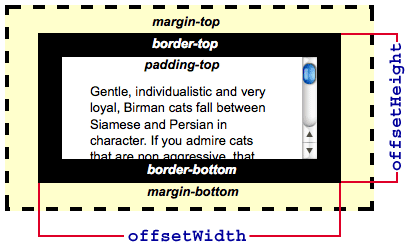
- 偏移
- offsetLeft
- offsetTop
- 大小( content + padding + scroll + border )
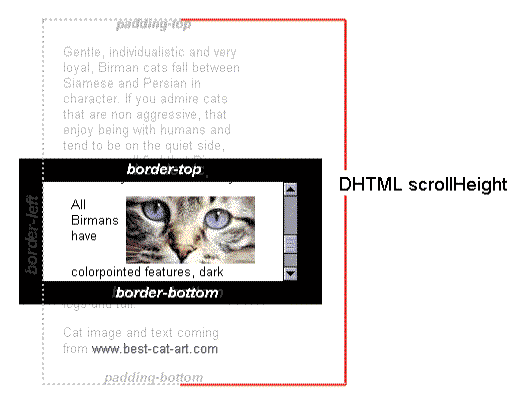
- scroll:元素的滚动内容
- scrollWidth
- scrollHeight
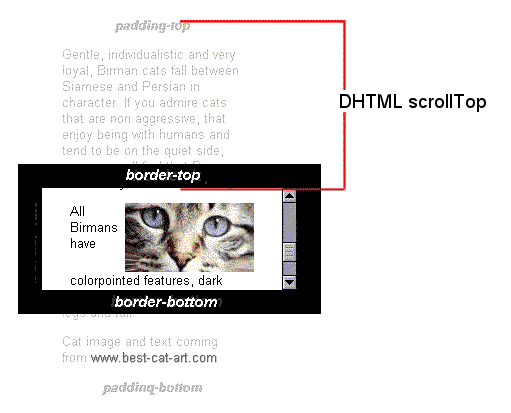
- 滚动超出的距离
- scrollLeft
- scrollTop
- rect:元素在视口中的区域位置
目录定位 Demo
以下是使用 rxjs 实现的目录定位功能。
fromEvent(document, "scroll")
  .pipe(
    startWith(null), // 初始定位
    debounceTime(100), // 性能,防治执行过度
    // 转换成锚点元素的 offsetTop 数组
    switchMap(() => from(archorsOffsetTop)),
    tap(([idx, offsetTop]) => {
      // 消除元素样式效果
      items[+idx]?.classList.remove("active");
    }),
    // 计算出文档滚动距离和 offsetTop 最为接近的锚点元素
    filter(([idx, offsetTop]) => {
      let d = window.scrollY
      return d <= (offsetTop - 10) // 10 误差调整
    }),
    throttleTime(10), // 过滤后续元素
    tap(([idx, offsetTop]) => {
      // 添加元素样式效果
      items[+idx - 1]?.classList.add("active");
    }),
  ).subscribe()
其他文章
交流区
加载中...